Spiritstead Wiki Tools
Checklists and planners for spirits, happiness, and builds
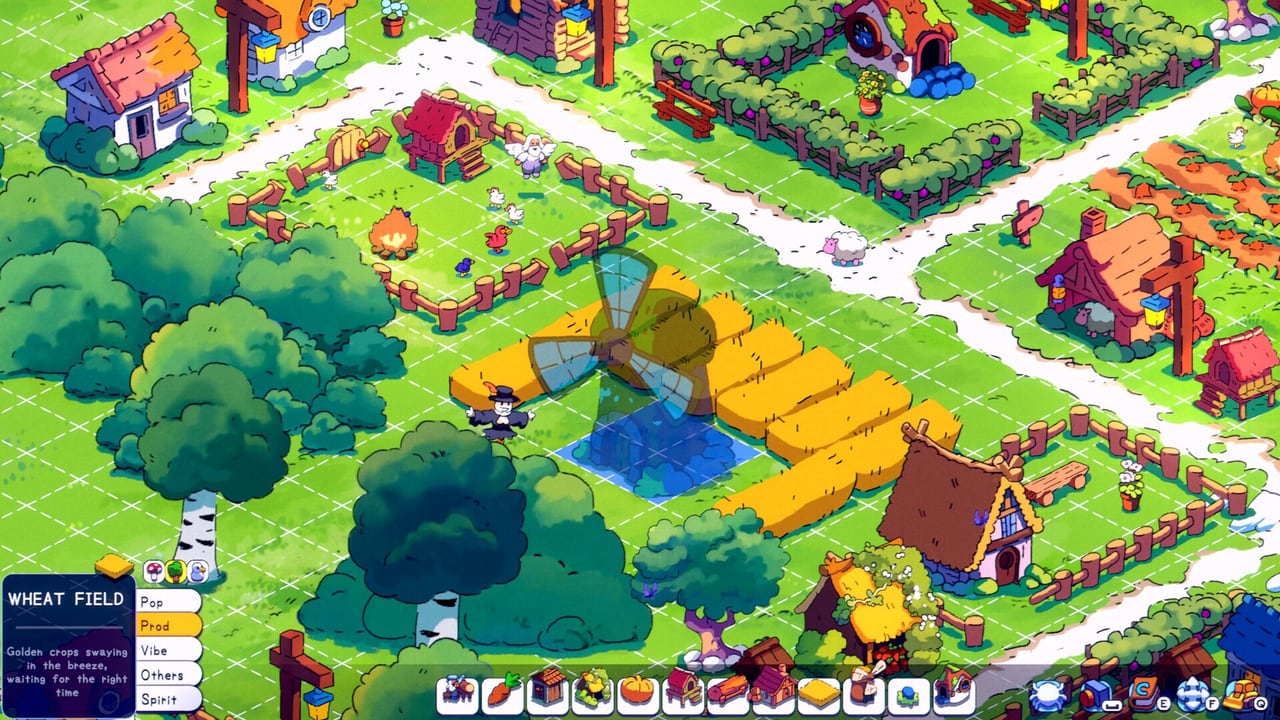
Spiritstead looks relaxing until you juggle twelve villagers, three happiness crashes, and a spirit journal that hides Blumpy behind flowers you already bulldozed. The wiki tools section exists for that mid-session chaos — printable-style checklists you can tick in-browser (once the interactive UI lands) and thorough markdown fallbacks you can use today. Each tool page describes how to use the checklist below the article; the site layout injects interactive components separately, but the markdown - [ ] lists remain the single source of truth for what to track.
How wiki tools work
Every tool page follows the same pattern:
- Read the intro — when to open the tool (Adventure vs Creative, biome, town level).
- Scroll to the interactive checklist — the page template renders tick boxes when the tool UI is enabled.
- Use markdown fallback — if UI is absent, copy mental checks from the
- [ ]blocks embedded in the article body. - Cross-link guides — tools summarize; guides explain why each step matters.
Tools are not save editors and not mods — they organize vanilla gameplay tasks the demo already expects you to track manually in the spirit journal.
Available tools
Spirit Unlock Checklist
Track all journal spirits from Peppok (cook a chicken) through finicky hunts like Mizzrick (weather, time, item). Flags which unlocks need Creative Mode when demo Adventure caps at town level four. Featured because spirit automation defines Spiritstead’s identity.
Open: Spirit Unlock Checklist
Happiness Checklist
When villagers refuse work or food ticks turn red, run this list before you blame bugs. Covers bonfires, warehouses, decorations, drag-assign to happiness buildings, and common demo pitfalls (happiness not rising merely by standing near buildings in some builds).
Open: Happiness Checklist
Building Planner
Plan production belts, warehouse pairs, road thickness, and portal pads before you spend gold on territories. Especially useful on Steam Deck where F reposition costs more patience than on mouse.
Open: Building Planner
When to use tools vs guides
| Situation | Use |
|---|---|
| First hour confusion | Getting Started guide |
| Mid-run spirit hunt | Spirit checklist |
| Mood collapse after expansion | Happiness checklist |
| Pre-buy land layout | Building planner |
| Story quest order | Adventure Walkthrough |
Tools complement guides — they do not replace Spirits tier list or Production buildings deep dives.
Adventure vs Creative tool usage
Adventure Mode — Keep spirit and happiness checklists open during territory buys; gold spikes cause food neglect. Building planner notes help before irreversible portal placement.
Creative Mode — Spirit checklist completes journal entries Adventure caps block. Building planner becomes pure aesthetic lab work without warehouse panic.
Interactive UI notes
Tool pages may include HTML-friendly callouts like:
Use the interactive checklist below — tick items as you play; progress is local to your browser when the component is active.
Until interactive UI ships site-wide, treat markdown - [ ] lines as authoritative. Do not skip them because the widget is missing — they are the checklist content.
Contributing corrections
Spiritstead demo patches can change happiness rules or spirit conditions. If a checklist item drifts from gameplay, cross-check Turbo Dog Discord announcements and ping wiki updates via our official links page — unofficial wiki, official sources win on facts.
Related sections
- Spirits hub — unlock theory and tier rankings.
- Controls — drag-assign and reposition shortcuts while checking lists.
- Review hub — demo vs full scope before you grind checklist completion twice.
Frequently Asked Questions
Quick answers to the most common questions.
Do wiki tools modify game saves?
No. Tools are checklists and planners only. They organize tasks you complete inside Spiritstead’s normal Adventure or Creative saves.
Where is the interactive checklist?
Each tool page describes checklist usage in the intro, then embeds tick boxes via the page layout when enabled. Markdown - [ ] lists in the body mirror the same items.
Which tool should I use first?
New players should finish Getting Started, then open the Happiness Checklist during hour one and the Spirit Unlock Checklist once coops and cooking unlock.
Do tools work in the demo?
Yes. Demo Adventure caps some spirits to Creative, which the spirit checklist flags. Happiness and building tools apply to both demo and full game.
Can I use tools on Steam Deck?
Yes. Checklists help Deck players who struggle with rotation — pair with Building Planner notes before large expansion sessions.