Spiritstead Guides
From your first hut to the Grand Spirit Sanctuary — practical walkthroughs for Turbo Dog Games' cozy Steam city builder.
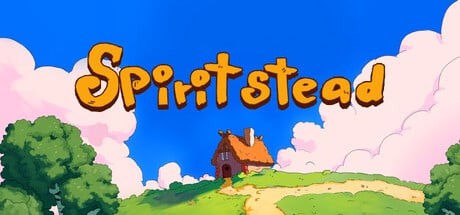
Welcome to the Spiritstead guides hub, your starting point for Turbo Dog Games’ hand-illustrated city builder on Steam. Whether you picked up the free demo or wishlisted the full release launching August 6, 2026 at 19:00 CEST for $9.99, these pages explain how Adventure Mode, Creative Mode, villagers, spirits, biomes, fishing, and markets fit together so you spend less time guessing and more time building a village you love.
Spiritstead is not a punishing survival sim. It is a gentle management game where you assign jobs, balance food, wood, and happiness, unlock quirky spirits through world interactions, and slowly restore the Grand Spirit Sanctuary. Most players finish Adventure Mode in roughly six to eight hours, but the systems reward revisiting — especially once you understand how spirit buildings automate chores that villagers used to handle manually.
Where to start
If you have never played before, begin with the Getting Started guide. It covers the demo and full game basics: placing your first home, opening production chains, dragging villagers onto workstations, and using F to reposition buildings when your layout needs a tweak. The page also points you toward the controls reference so camera movement, rotation, and assignment clicks feel natural on mouse, keyboard, or Steam Deck.
Already comfortable with menus and quests? Jump to the Adventure Mode walkthrough for a chapter-by-chapter path from the Green Forest starter territory toward the Snow biome, including when to expand housing, unlock spirit portals, and invest in crystal shard mining before population growth outpaces your economy.
Core systems covered in these guides
Villager management sits at the heart of every run. Our villager happiness guide explains why happiness meters dip, which buildings reliably lift morale (bonfires, cafés, markets, decorations), and how job assignment differs from simply building happiness structures nearby. Turbo Dog Games has noted that proximity-based happiness bonuses may expand in future updates — the guide separates confirmed demo behavior from sensible long-term habits.
Spirits and automation change the pace mid-game. Peppok arrives through cooking chicken; Blumpy responds to flower experiments; Scruffern hides near bushes that look out of place; Mizzrick demands the right item, weather, and time of day. The dedicated spirits hub lists every helper, but our walkthroughs show when each unlock pays off relative to your current quest line. Pair that with the buildings guide to understand spirit structures, crystal nodes, sawmills, coops, and housing tiers that feed your expansion.
Sanctuary restoration is Adventure Mode’s narrative spine. The sanctuary restoration guide tracks shard requirements, territory unlocks, and the balance between human villagers and spirit helpers as you approach the Grand Spirit Sanctuary. If you only care about aesthetics and sandbox freedom, read Creative Mode tips instead — no quest pressure, full building access for experimentation, and the best place to hunt elusive spirits like Mizzrick on your own schedule.
Fishing and markets anchor the demo economy loops featured on Steam. The fishing guide covers ponds, food variety, and waterfront planning; the markets & economy guide explains coin sinks, housing upgrades, and happiness ties when selling surplus wood, crops, and fish.
Map, tools, and honest opinions
Biome progression matters even in a cozy game. The world map overview summarizes Green Forest, Snow / Frozen Lands, and full-game Swamp territories beyond the demo. Use it alongside the Adventure walkthrough when you are deciding whether to push north for new resources or consolidate your current zone first.
For planning layouts and spirit hunts without spoilers, bookmark our tools section — handy when you want quick references while alt-tabbed from the game. When you are deciding whether Spiritstead fits your library, the review page collects demo impressions, Steam Deck notes, and how the Miyazaki-inspired art direction lands in practice.
Recommended reading order
- Getting Started — demo-friendly foundations and first-hour checklist.
- Adventure Walkthrough — structured path through quests and biome gates.
- Villager Happiness — stabilize morale before population spikes.
- Sanctuary Restoration — shard economy and late Adventure goals.
- Creative Mode — sandbox building and spirit hunting without timers.
- Fishing — ponds, food variety, and waterfront planning.
- Markets & Economy — selling produce, coin sinks, and happiness ties.
Each guide cross-links siblings under /guides/ plus spirits, buildings, map, controls, review, and tools so you can pivot whenever a single system — not the whole game — needs attention. Spiritstead rewards patience and curiosity; these pages are written to match that tone.
Frequently Asked Questions
Quick answers to the most common questions.
Which Spiritstead guide should I read first?
Start with Getting Started if you are new to city builders or the demo. Return here to pick Adventure Walkthrough, Happiness, Sanctuary, or Creative guides once you know your preferred mode.
Do these guides cover the Steam demo and the full game?
Yes. Core loops are identical; the demo focuses on Green Forest and Snow progression while the full release adds biomes and spirits such as Bluji that are not yet in public builds.
How long does Adventure Mode take?
Turbo Dog Games estimates six to eight hours to restore the Grand Spirit Sanctuary. Creative Mode has no fixed length — play until you finish decorating or collecting spirits.
Where can I learn spirit unlock conditions?
Each walkthrough mentions spirits in context, but the spirits hub lists Peppok, Blumpy, Scruffern, Mizzrick, and others with discovery hints. Creative Mode is ideal for testing weather and item combinations.
Are Spiritstead guides updated for the August 2026 launch?
We align facts with Steam store pages, demo patch notes, and developer posts. After launch, revisit sanctuary and map guides for any quest or biome changes in day-one patches.