Spiritstead PC Controls
Camera, drag-assign, reposition, and build shortcuts
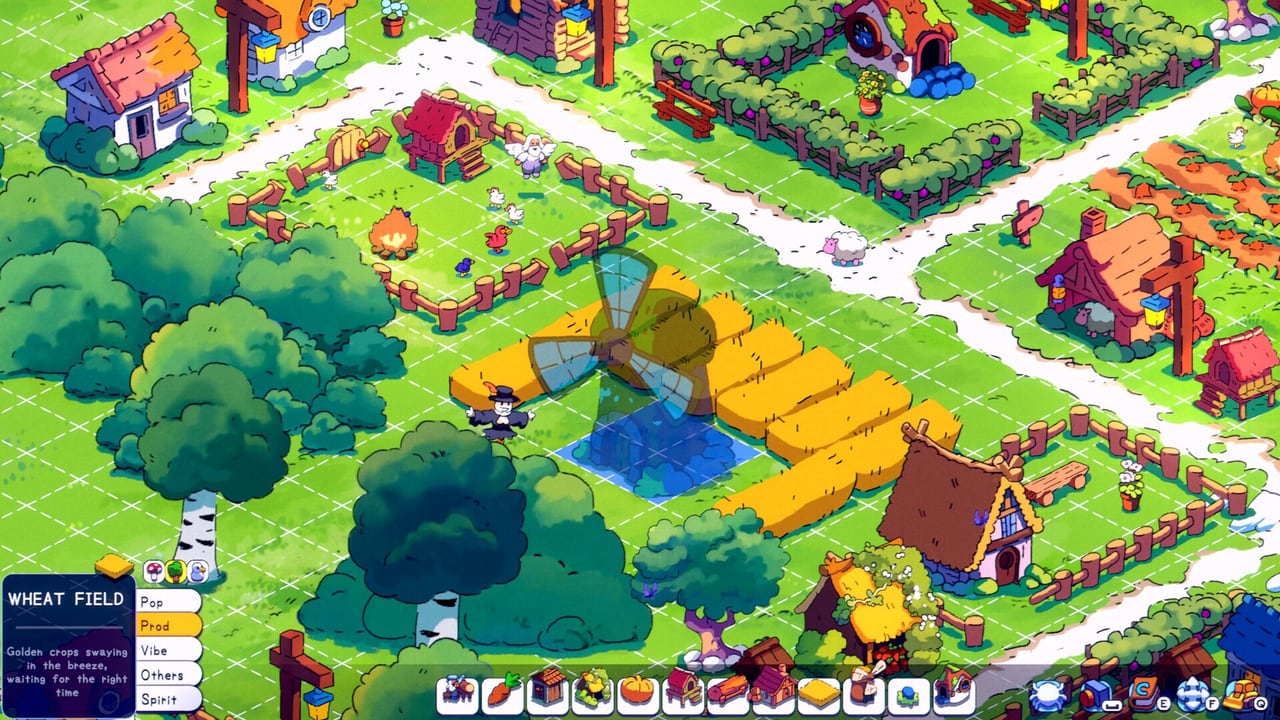
Spiritstead controls stay intentionally cozy: no fighting-keyboard manuals, no MOBA hotbar — just camera movement, click-and-drag villager assignment, and a handful of placement tools that matter once your village stops fitting on one screen. Mastering those basics early saves more time than any late-game spirit unlock, because every quest in Adventure Mode assumes you can move the camera, drag a villager to a station, and recover from a mis-placed sawmill without reloading the save.
Camera and navigation
The tutorial prompts WASD to pan the camera and the mouse wheel to zoom. Spiritstead’s map grows quickly once territories enter the economy, so treat camera fluency as part of production — zoom out to watch food ticks, zoom in to grab a specific villager, pan ahead of expansion purchases to scout spirit props at the fog line.
Handheld players should read Steam Deck tips separately; this hub focuses on mouse-and-keyboard defaults on Windows 10/11.
Selecting and dragging villagers
Core loop controls:
- Left-click a villager to select them.
- Click and drag the villager onto a production building, happiness structure, or job site to assign work.
- Hover UI shows happiness, food consumption, and building production rates — use hover before you drag during panic moments.
Drag-assign is how you satisfy early quests (“drag a villager to the log cutting station”) and how you recover when someone walks off a job. If happiness crashes, drag villagers to bonfires or markets before you blame broken controls.
F — reposition buildings and villagers
F toggles move mode for buildings (and related reposition tasks the tutorial highlights after your first house cluster). Press F, select the structure or villager home you want to shift, and place it on a valid tile. This is cheaper than demolishing when:
- A bonfire blocked your second house.
- A warehouse landed one tile too far from plots.
- Expansion purchased land behind your production belt.
Combine F moves with R rotation (below) when fixing cramped Green Forest layouts before Snow expansion.
R — rotate before you place
R rotates the ghost preview of a building before you confirm placement. Rotation matters for:
- Road attachment — gray buildings need completed road requirements.
- Walk paths — villagers need unobstructed routes between jobs.
- Screenshot layouts — Creative Mode players rotate for aesthetics; Adventure players rotate to reduce drag distance.
Rotate during placement whenever possible. Moving later with F works, but rotation at build time avoids Steam Deck friction if you also play handheld.
Building placement workflow
Typical PC workflow for a new structure:
- Open the build menu category (production, happiness, spirits, etc.).
- Select the building; move the ghost with the mouse.
- Press R until roads and neighbors align.
- Confirm placement.
- Drag villagers to activate production or happiness effects.
- Use F if a quest reveals a better tile after the fact.
Cross-read Getting Started for which buildings appear in hour one versus Snow milestones.
Quest and UI interactions
- Quest tracker — Click pinned objectives to see requirements (gold, population, specific buildings).
- Sell resources — Click wood or food piles when quests allow sales; batch when the UI supports multi-unit payouts.
- Territory purchases — Click edge tiles on the map; camera pan ahead so you buy the tile with spirit props, not just the cheapest fog.
- Spirit journal — Track discovered helpers; pair with the Spirit Unlock Checklist.
Controls vs game modes
| Mode | Control focus |
|---|---|
| Adventure | Drag-assign under happiness pressure; F fixes mistakes without reloads. |
| Creative | Rotation and F for layout labs; less drag panic, more blueprint testing. |
Both modes share the same PC bindings on Steam.
Performance and input on low-spec PCs
Minimum specs list 2 GB RAM and integrated graphics — controls should stay responsive because Spiritstead is a lightweight 137 MB install. If input lag appears, check background overlays before rebinding keys; the game expects standard Windows mouse drivers.
System details live on System Requirements.
Related guides
- Steam Deck tips — rotation and placement on handheld.
- Map overview — camera scouting for territories.
- Building planner tool — pre-plan layouts before you spend gold.
- Demo vs full game — same controls in the free demo.
Frequently Asked Questions
Quick answers to the most common questions.
How do I assign villagers to jobs on PC?
Left-click a villager, then click and drag them onto the building or job site. Release when the highlight confirms assignment.
What does the F key do in Spiritstead?
F enables reposition mode so you can move buildings (and related placements the tutorial covers) without demolishing them.
How do I rotate buildings?
Press R while placing a building to rotate the preview ghost. Rotate before confirming placement whenever roads or walk paths matter.
How do I move the camera?
Use WASD to pan and the mouse wheel to zoom. Scout territory edges before buying land so you do not miss spirit interactables.
Are controls the same in Adventure and Creative?
Yes. Camera, drag-assign, F reposition, and R rotate work identically; Creative removes economy pressure but not the input scheme.